Local AI on a Mac: How Much Memory You Need. Own the Search; Rent Judgement at About 2 Cents per 1,000 Calls.
Memory decides how much local AI a Mac can run, from 8GB to 512GB. Google’s EmbeddingGemma 300M fits every Mac for search; on routing decisions TypeSafe’s Jev 1.13 scored higher, for about 2 cents per 1,000.
- Subject
- How much local AI each Mac can run, and why renting the judgement calls got cheap
- Published
- 4 OCT 2026
- Reading time
- 10 min
- Film
- Watch · 4:49
In short
- The ladder
- Apple’s current Macs come with 8GB to 512GB of memory, and memory sets the largest AI model each one can run.
- What fits
- Google’s EmbeddingGemma 300M, the model behind our search, stayed under 4.5GB in every reading, so it fits every current Mac.
- How well
- At full size, on 623 public test questions, it found a right document first more often than word-matching search or a smaller free model.
- What to rent
- Picking AI model sizes for 94 tasks, TypeSafe’s Jev 1.13 got 73 right and ours 60, for about 2 cents per 1,000 decisions.
In this post · 6 sections
- —In short
- 01Memory sets how big a model each Mac can run, from 8GB to 512GB
- 02Mac mini or Mac Studio: memory costs least per gigabyte at both ends
- 03EmbeddingGemma 300M fits every Mac and, at full size, beat word-matching search
- 04It runs on hardware we already owned
- 05Rented routing judgement cost about 2 cents per 1,000 decisions
- 06What to own and what to rent
Local AI means running models on a computer you own instead of renting them per call, and on a Mac the amount it can run depends mostly on memory. We set every current Mac on that ladder and tested the small model we run ourselves on 623 public test questions. Then we tested it against a rented model that decides for about 2 cents per 1,000 calls.
Memory sets how big a model each Mac can run, from 8GB to 512GB
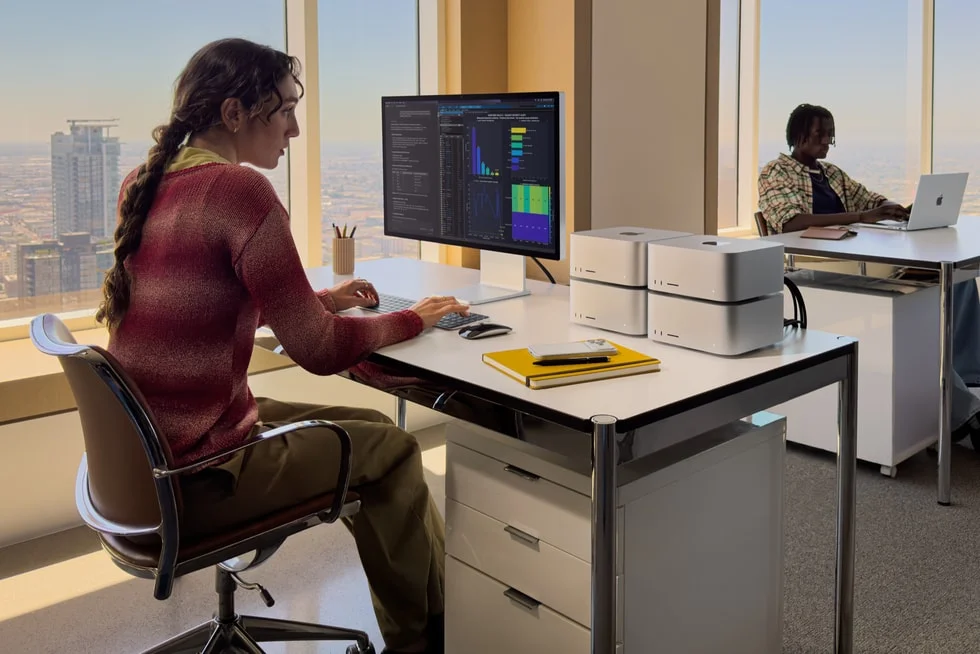
A model runs fast only if it fits in the computer’s memory, its random-access memory (RAM). Macs use unified memory, one pool shared by the processor and the graphics chip, so the graphics chip can give most of it to a model. The cheapest Mac, the $699 MacBook Neo, has 8GB and no upgrade. The Mac mini with M6, the iMac, the MacBook Air and the MacBook Pro with M5 top out at 32GB. Machines with the M5 Pro chip reach 64GB, the M5 Max 128GB, and the Mac Studio with M5 Ultra 512GB.
A model’s size is counted in parameters, the numbers it learned in training. Stored at 4 bits each, a common setting for running models locally, a model takes a little over half a gigabyte per billion parameters. If the model may use three quarters of the memory, a 32GB Mac holds one of about 32 billion parameters and a 64GB Mac about 70 billion. Only the 512GB Mac Studio holds one of 400 billion.
Mac mini or Mac Studio: memory costs least per gigabyte at both ends
Memory doesn’t get dearer per gigabyte as you climb. At each chip’s starting configuration, the $899 Mac mini costs about $56 per gigabyte of memory and the $5,499 Mac Studio with M5 Ultra about $57. The MacBook Pros cost $104 to $125, and the MacBook Air $81.
Memory bandwidth, how many gigabytes a second the chip can read, decides how fast a model answers. A model writes its answer in tokens, pieces of a word or a whole short word, and when it answers one request at a time, each token means reading the whole model once. Bandwidth divided by model size therefore gives a ceiling on speed. For an 8-billion-parameter model it runs from about 13 tokens a second on the MacBook Neo to about 260 on the M5 Ultra. Real speeds come in lower.
EmbeddingGemma 300M fits every Mac and, at full size, beat word-matching search
The jobs we run locally sit at the bottom of that ladder. Our model is EmbeddingGemma 300M, published as embeddinggemma-300m, Google’s free embedding model: it turns a passage into a list of numbers, placed so that passages about the same thing sit close together, which is how search by meaning works. Google publishes it as an open model, so anyone can download the file and run it. Our memory readings ran from 0.9 gigabytes (GB), one process running full-precision (32-bit) weights on a laptop’s graphics chip, to 4.3GB, a whole browser page running the 4-bit build in Safari’s engine.
With full-precision weights and all 768 output numbers, it put the right article first for 38 of 40 questions about this site’s 22 pages. We wrote those questions ourselves, so a small test like that may flatter the model. We ran the same weights on two public research benchmarks whose questions and right answers were set by others: SciFact, 300 questions over 5,183 scientific abstracts, and NFCorpus, 323 health questions over 3,633 articles.
At 768 numbers per passage, EmbeddingGemma 300M ranked the right abstract first for 66% of SciFact questions. Keyword search, which matches the words themselves, managed 52%, and MiniLM, a smaller free model, 50%. On NFCorpus, where each question has dozens of relevant articles, it put one first 51% of the time, against 43% and 42%. All four gaps are larger than the margin of error.
The browser build on this site differs in two ways: it keeps 256 of the 768 numbers per passage, to keep the index small, and its weights are stored at 4 bits. Cutting to 256 left the SciFact first-place score unchanged. On NFCorpus the model fell to 46%, and its lead in first place is then within the margin of error, though it still ranks relevant articles higher across the top 10. Google’s 4-bit weights, tested in place of the browser file, scored within 1.3 points of the full-precision ones on both benchmarks.
It runs on hardware we already owned
On a 2021 MacBook Pro with the M1 Max chip, the full-precision model answers a short query in under a tenth of a second. Ollama’s 621MB build of the same model runs on our network-attached storage (NAS), a two-core box on the office network, to search our own notes privately. It answers a short query in 184 milliseconds and a document of about 400 words in 3.7 seconds. Turning all 2,491 passages of those notes into numbers took about 70 minutes, once.
On this site, the 4-bit build runs in the visitor’s own browser. Turning on search by meaning is one 222MB download, and after that what you type never leaves the device. In a desktop browser that can use the graphics chip, each question takes about a tenth of a second. Without it, in Safari’s engine or imitating a phone, it took one to two seconds.
Rented routing judgement cost about 2 cents per 1,000 decisions
Search is matching; deciding is harder. Our AI work runs on four sizes of Claude model: Claude Haiku, Sonnet, Opus and Fable. A router decides which size each task gets. Too small and the work suffers; too big and the bill does, so the right size is the cheapest model that clears the bar. We scored routers on 94 tasks whose right size we wrote down first.
Our first test used Jev’s router, a large language model (LLM) router listed on OpenRouter as typesafe/jev-router. It passes each question to another company’s large model. This time we also called TypeSafe’s own model, Jev 1.13 (jev-1.13.0), directly. It is a decision model: it takes the task and a pick-one question, and returns a probability for each answer instead of text.
Jev 1.13 picked the right size 73 times in 94, and Jev’s router 72. Shown eight labelled examples, they scored 76 and 78. Neither gap is one this test could detect: three identical runs of Jev 1.13 scored 73, 72 and 76. A Jev 1.13 decision took a median 0.21 seconds and costs about 2 cents per 1,000 decisions. The router took 3.5 seconds and costs 81 cents.
A small layer trained on EmbeddingGemma 300M’s outputs decides fastest, in 0.08 seconds on a Mac’s graphics chip, but got 60 right. EmbeddingGemma untrained got 45. Jev 1.13’s lead over the untrained model holds under every test we ran. Its 13-task lead over the trained layer did not survive the correction for running several comparisons at once. Asked which of our eight packaged workflows a task needs, if any, Jev 1.13 got all 28 test tasks right, including the 16 that need none.
Where each one goes wrong
The two fail on different tasks. EmbeddingGemma 300M sends trivial edits, such as a typo fix or a version bump, to a bigger model than they need. It also underrates hard engineering, review and debugging; it seems to read the topic rather than the difficulty. Jev 1.13 undersizes routine tasks that sound small, sends fact-checking one size up, and hesitates to pick the largest model for strategic calls.
These patterns rest on groups of 11 to 33 tasks, and none survived the correction. Only Jev 1.13 was right on 24 tasks, only EmbeddingGemma on 11, and 5 of those 11 carry labels our three raters disputed. Every router did worse on disputed labels, so some of their “errors” are arguably right. Combining the two scored 73 to 75, no detectable gain. Against the 3.5-second router, letting the free model keep its surest half saved half the calls for one task of accuracy; against Jev 1.13 it saves about a cent per 1,000 decisions.
Jev 1.13’s own confidence is the more promising lever. On the 70% of tasks it was surest about it was 91% right, 60 of 66. That makes the least sure 30% the first candidates for a bigger model or a person, a rule still to be tested on fresh tasks.
For engineersThe method, for anyone repeating it: runs on 3 and 4 October 2026; one local model in three runtimes on two machines, and two rented routers.
Lineup: Apple’s spec and US store pages, read 4 October 2026. Model memory = billions of parameters × 0.575GB (4 bits plus 15% overhead) ÷ 0.75; the speed ceiling = bandwidth ÷ 4.6GB at batch size 1. Both are estimates, not measurements.
Model: Google’s EmbeddingGemma 300M (embeddinggemma-300m, 308 million parameters), in three builds. Full precision (32-bit) through sentence-transformers on the laptop: the site test, both benchmarks, the laptop speeds and the routing study, all at 768 dimensions unless stated. The 4-bit Open Neural Network Exchange (ONNX) build (onnx-community, model_no_gather_q4) through Transformers.js at 256 dimensions: this site’s browser search. Ollama’s 621MB build: the NAS.
Benchmarks: SciFact and NFCorpus test splits from the BEIR collection, every question with a relevance judgement, each full corpus as the search pool, with the model’s query and document prompts and its output truncated to 768, 256 or 128 dimensions. Google’s quantisation-aware 4-bit weights, dequantised, stood in for the browser file. Baselines: all-MiniLM-L6-v2 and Okapi BM25. Intervals are 95% bootstrap over questions, 2,000 resamples; paired gaps tested by exact McNemar. SciFact at 768: +13.7 points over BM25 [8.0, 19.3] and +16.3 over MiniLM [11.0, 21.7], both p < 0.001. NFCorpus at 768: +8.7 over BM25 [3.7, 13.6], p = 0.001, and +9.3 over MiniLM [4.6, 13.9], p < 0.001. NFCorpus at 256: +3.4 and +4.0 points, p = 0.24 and 0.11; nDCG@10 still higher by about 0.06 [0.04, 0.08] against both.
Laptop speed: PyTorch, Apple’s Metal backend against the central processing unit (CPU), batch size 1, median of repeated runs. Site test: 40 questions over 187 passages from 22 pages, 38 of 40 against 30 for MiniLM. NAS: timed from the laptop, median of repeated calls. Routing, first round: a logistic-regression probe on frozen embeddings, five-fold cross-validated; probe 60 against the router’s 72 has an exact McNemar p of 0.073. Paid spend $0.775.
Routing, Jev 1.13: the main plan was registered before any call; the hybrid and speed addendum was written after the calls but before any answer was scored. Exact McNemar tests, Holm correction across the secondary tests. Primary, Jev 1.13 against the router on short rules: 73 against 72, p = 1.0, difference +1.1 points [−8.5, +10.6]. Against the trained probe: 73 against 60, p = 0.041, Holm 0.29. Against untrained EmbeddingGemma 300M: 73 against 45, Holm p = 0.0002. Latency is end to end from our office; TypeSafe’s no-inference call alone takes 0.15 seconds, so most of Jev 1.13’s 0.21 is the network. EmbeddingGemma 300M timings are warm; a cold start took about 6 to 9 seconds. Above its median confidence of 0.80, Jev 1.13 was right 44 times in 47. Two leads failed to clear the pre-registered bar: reading Jev 1.13’s probabilities with each step too small penalised twice as hard as a step too large cut the weighted error score from 37 to 27 (p = 0.20, Holm 1.0), and adding task-scope ratings scored 75 against 73 (p = 0.80). Paid spend for both rounds: $0.043.
What to own and what to rent
- Own the frequent, private matching jobs: search, related-reading links, duplicate checks, sorting what comes in. A small open model does them on any current Mac, and the data stays there.
- Rent the judgement, cheaply. A decision model such as Jev 1.13 picks among fixed options in a fifth of a second for about 2 cents per 1,000 calls. Keep the frontier models, the most capable models, run by the labs that make them, for work where a wrong answer is expensive.
- Escalate the unsure cases, tested on your own tasks first. Send the decisions the model is least confident about to a bigger model or a person; a free local model is the fallback when the network is not there.
Before pricing a 512GB Mac Studio, sort your AI jobs into matching and judgement. The matching jobs fit the bottom of the ladder. Buy a higher rung only for a large model you will run often enough to replace the rented calls.
Agnizar builds AI into your core systems, then hands it over or keeps it running. Every job starts small: one bounded piece of work, one named result, one clear decision. Book an AI Architecture Review; a senior engineer replies within one business day.